
Where is the Magic Loot redeem menu?
Settings gear (top-right) → Type Here → Redeem.
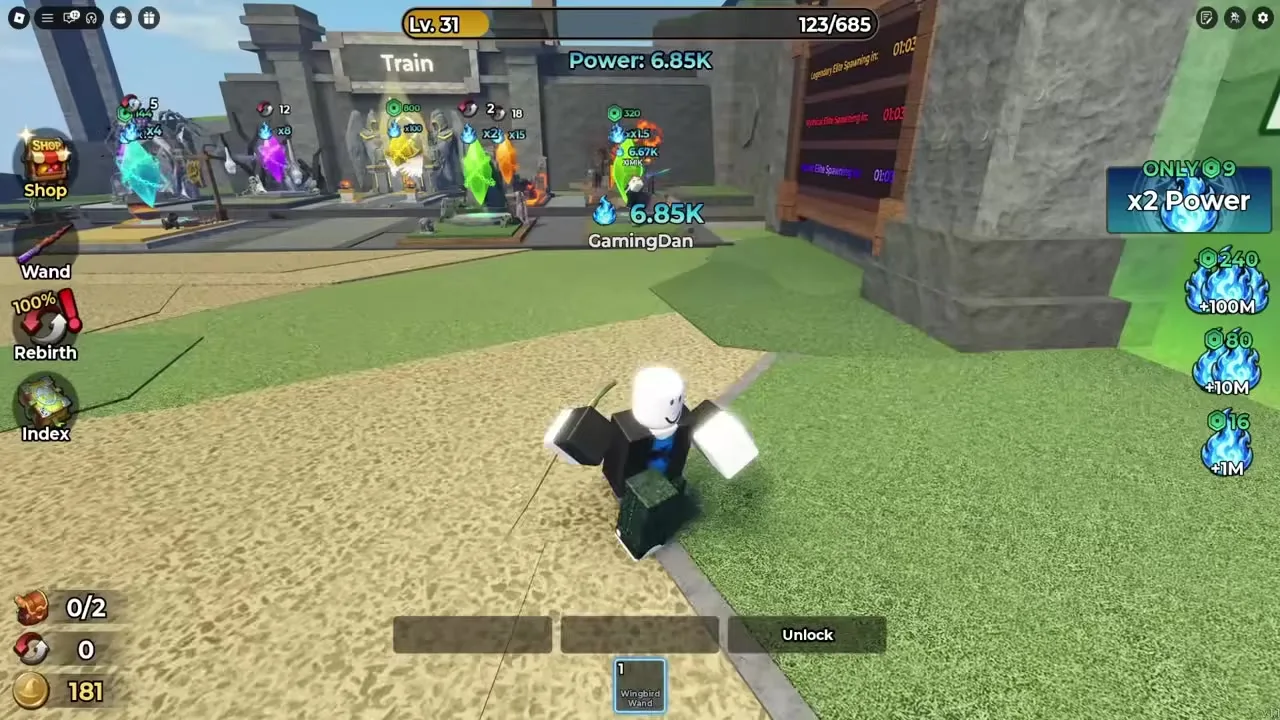
How to redeem Magic Loot codes: Settings gear top-right, paste into Type Here, tap Redeem, and fix invalid or already-redeemed errors. August 2026.
Top-right gear → Type Here → Redeem. Video may list unverified codes — trust the empty wiki table.
~7 min read
Sponsored
Players searching Magic Loot redeem codes already have (or expect) a string and need the exact menu path — this page is the claim path, not another code dump. Pair it with the codes list, which is empty as of August 16, 2026 with zero verified working codes. The Settings → Type Here → Redeem UI is live; the promo strings are not. Verified August 16, 2026 for Place 133188236593503.
| Fact | Detail |
|---|---|
| Redeem location | Settings gear → Type Here → Redeem |
| Open Settings | Gear icon, top-right of the HUD |
| Active codes today | 0 — see codes |
| Limit | One redeem per code per Roblox account |
| Platform | Roblox (PC & Mobile) |
| Place ID | 133188236593503 |
| Full code list | Magic Loot codes |
| Play | Open on Roblox |
Follow these steps in order — the field is inside Settings, not on the main dungeon HUD, not on the Alchemy station, and not inside Collection Index. Tutorial footage that clicks the top-right gear and types into Type Here is the correct UI path even when the codes on screen are already dead.
| Step | Action |
|---|---|
| 1 | Launch Magic Loot on Roblox and load into a session (hub or dungeon both work) |
| 2 | Open Settings with the gear icon in the top-right of the HUD |
| 3 | Find the Type Here code field inside Settings |
| 4 | Paste a code from codes exactly (table is empty until verified) |
| 5 | Tap Redeem and wait for a success message before backing out |
When the codes table has live rows, use Copy on the Code column so you never introduce a wrong character or trailing space. Magic Loot treats redeem strings like most Roblox experiences: case and exact spacing matter. A single wrong letter reads back as invalid with no partial credit.
With no live codes yet, treat success as “the game shows a clear confirmation after Redeem.” Check any reward the toast names (balance, inventory, or other) before closing Settings. Whether a rejoin is required is unconfirmed for Magic Loot — if nothing changes and you see no message, clear the field and try once more before assuming the code is fake.
Do not look for a Codes NPC near the Train Magic pads, Wand station, Armor station, or boss gates. The redeem entry is a HUD Settings control. If you are mid-dungeon, you can still open Settings without finishing the stage — redeem, then continue looting.
Yes — once Settings is open, Type Here and Redeem sit in the same place on both platforms. Only the tap target for the gear changes with screen size.
| Platform | How to open Settings | Notes |
|---|---|---|
| PC | Click the gear icon (top-right) | Mouse + keyboard; paste with Ctrl/Cmd+V into Type Here |
| Mobile | Tap the gear icon (top-right) | Long-press paste from the clipboard after Copy on the codes page |
| Tablet | Same gear icon | Use landscape if the Settings panel clips the Redeem button |
Copy from the codes list in your mobile browser, switch to the Roblox app, open Settings, long-press Type Here, and paste. If Roblox steals focus and clears the clipboard, copy again immediately before opening Settings. Avoid typing long promo strings on a phone keyboard — that is the fastest way to introduce a wrong character.
Check this decision table before assuming Settings is broken. Right now the most common "failure" is simply that no verified codes exist yet.
| Symptom | Likely cause | Fix |
|---|---|---|
| Invalid instantly | Typo, wrong game, or never-live string | Re-copy from codes only — ignore random YouTube lists |
| Already redeemed | One-time claim used on this account | Move to the next code; this one is spent |
| Nothing happens | Extra spaces or double-tap race | Clear Type Here, paste once, tap Redeem once |
| No codes listed on the wiki | Zero active codes as of Aug 8 2026 | Watch Discord — 〔📢〕game-news |
| Video showed a working redeem | Recording is old or clickbait | Trust the empty verified table over the title |
| Cannot find Type Here | Wrong menu or stale UI after a patch | Close Settings fully, reopen the top-right gear, scan for the code field again |
If codes shows zero Working rows, there is nothing legitimate to redeem today — practice the Settings path if you want, but do not invent a string. If a row says Working and you still get invalid, clear spaces first, then assume the code expired between our check and your session and report it in Discord.
Magic Loot is in Public Beta. A patch can rename a label or nudge the Settings layout without removing redeem. If Type Here is missing where a week-old video showed it, reopen Settings from the gear rather than assuming the feature was deleted — stale menu state after a hotjoin is common on Roblox.
Matched by build plan, shared topics, and guide progression — not random related links.
There is no bulk-redeem box — each code goes through the same Type Here field, one at a time. When the active list is empty, this section is preparation for the first promo wave.
Run every Working code before you dump Coins into the next Wand or Armor purchase — a future Coin code can change which upgrade you can afford without another dungeon clear.
Each Roblox account has its own redeem history. An alt can claim the same Working code once. That does not mean you should create alts only for codes — it means a shared household account that already redeemed will not get a second payout.
A successful redeem is a to-do, not the finish line. Free Coins or Power only help if you spend them on progression that survives the next session.
| If you got… | Do this next | Why |
|---|---|---|
| Coins | Buy the next Wand or Armor step you can afford | Gear bonuses survive Rebirth |
| Power-related boost | Train on pads (Train Magic) while the boost lasts | Pads beat hub click spam |
| Nothing / empty list | Grind dungeon loot and Collection Index | Codes are optional; Index slots are not |
| Unsure reward text | Screenshot the toast, then check backpack and Coin balance | Beta labels can be short |
After a success toast, close Settings and get back to Train Magic or the dungeon. Standing in menus does not increase Power. If you still have more Working codes, copy the next one quickly and repeat — then leave Settings entirely.
Settings gear (top-right) → Type Here → Redeem.
No verified working codes as of August 16, 2026. See codes.
No — Discord is only where new codes often post first in 〔📢〕game-news.
Treat them as exact strings — copy from codes instead of retyping.
No — one claim per code per Roblox account.
Yes — only how you tap the Settings gear differs. Type Here and Redeem are the same once Settings is open.
Unconfirmed for Magic Loot while no codes are live. After a success toast, check the reward it names; rejoin only if the reward still has not applied.
Clickbait titles often demo the Settings UI with unverified or expired strings. Use the UI path; ignore unverified code lists.
On codes — Code / Reward / Status with Copy when rows exist.
Train Magic, clear stages, buy Wands/Armor, and advance Collection Index — start with the beginner guide.
Matched by build plan, shared topics, and guide progression — not random related links.